AC Adapter Types and How They Work
AC adapters convert electricity from an alternating-current wall outlet into the form and voltage required by an electronic device. Many are AC-to-DC power supplies, used with routers, monitors, speakers, and other equipment that needs low-voltage direct current. Some adapters provide AC output, while USB power adapters supply regulated DC through a USB connector. Common designs include compact wall adapters, desktop power supplies with a separate cord, and replacement adapters made for particular devices. Switching adapters are generally lightweight and efficient; linear models use a simpler design and may be larger or heavier. When browsing AC adapters on Ubuy, compare the product description with your device's requirements rather than choosing by appearance alone. Understanding the adapter type helps narrow options before checking electrical ratings, connector fit, and intended use.
- Wall and desktop power supply designs
- AC-to-DC, AC-output, and USB options
- Choose by device requirements, not appearance
Voltage, Current, Polarity, and Wattage
Electrical ratings are central to AC adapter compatibility. Match the adapter's output voltage to the value specified on the device or its original power supply; an incorrect voltage can prevent operation or damage equipment. The adapter's current rating, measured in amperes (A) or milliamperes (mA), should meet or exceed the device's stated requirement, provided voltage and other specifications also match. Wattage expresses power and is calculated by multiplying volts by amps. Check whether output is direct current (DC) or alternating current (AC), and verify polarity for barrel connectors: center-positive and center-negative are not interchangeable. Some supplies support a range of input voltages, but always read the input label and product documentation. These figures help distinguish a suitable replacement from one that merely has a similar plug.
- Match output voltage exactly
- Meet or exceed the required current rating
- Verify output type and barrel-plug polarity
Connector Types and Device Compatibility
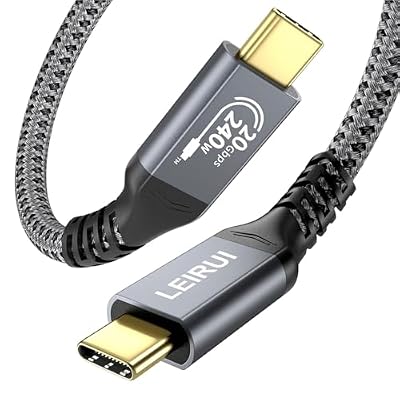
The connector must fit securely and make the correct electrical connection. Common options include cylindrical barrel plugs, USB-A, USB-C, and manufacturer-specific shapes; barrel plugs vary in both outer and inner diameter, so a close-looking size may still be unsuitable. For USB-C power delivery, confirm that the adapter supports the charging standard and power profile required by the device, and use a compatible cable. Laptop, monitor, networking, and audio equipment may use proprietary connectors or specific power requirements. Check the model number and the original adapter label, then compare connector dimensions, output rating, and polarity with the replacement listing. A universal adapter may include interchangeable tips or selectable voltage, but its tip and setting must be appropriate for the device. Compatibility is determined by all of these details together, not by connector fit alone.
- Check plug dimensions and connector type
- Confirm USB-C standards, cable, and power profile
- Compare device model and original adapter label
Adapter Features, Materials, and Build
Beyond basic power output, AC adapter features can affect convenience and suitability. Foldable or fixed wall plugs, detachable AC cords, interchangeable tips, and longer output cables serve different setups. Indicator lights can show that a supply is receiving power, while compact housings can be easier to pack; cable strain relief and a firmly assembled casing are useful build details to inspect. Look for clear labeling of input, output, polarity, and model information. Some adapters include protections such as over-current, over-voltage, or short-circuit protection, but confirm these features in the product specifications rather than assuming they are present. Recognized names such as Anker, Belkin, and Mean Well are associated with power products, although specifications differ by model. On Ubuy, use product details to compare features and ratings, and make sure the listed configuration suits your equipment.
- Compare cord, plug, and interchangeable-tip designs
- Review labeling and stated protection features
- Assess each model by its specifications
Common Uses, Accessories, and Care
AC adapters power a wide range of devices, including Wi-Fi routers, external drives, LED lighting, audio equipment, cordless phones, and selected laptops or tablets. The correct supply can also be useful when replacing a misplaced or worn adapter, provided the ratings and connector match. Accessories such as USB-C or barrel-plug cables, replacement tips, and detachable AC power cords may be needed, but each must support the intended connection and load. Keep ventilation openings clear, avoid pulling a cable by its plug, and disconnect the adapter by holding the connector. Store it dry and protected from crushing or excessive bending, and stop using it if the casing or cable is damaged. For products with removable tips or selectable voltage, check the setting before connecting. These simple checks support dependable everyday use and help prevent avoidable compatibility problems.
- Suitable for many home and office electronics
- Use compatible cables, tips, and power cords
- Keep vents clear and inspect cables regularly
Select the Right ac adapters
Start with the device's model number and the electrical information printed on its label or original adapter. Record the required input, output voltage, current, wattage, output type, polarity, and connector dimensions. Next, identify whether you need a dedicated replacement, a USB power adapter, or a universal supply with interchangeable tips. Check that any USB charging standard, cable, and power profile are compatible, and confirm that the adapter's input range suits your intended power source. Consider cable length, plug design, portability, and any protections explicitly listed. Avoid relying on a similar-looking connector or a higher wattage alone as proof of compatibility. Ubuy can help shoppers discover international AC adapter products and compare listed specifications. Review the product information carefully, then select the option that meets every requirement for your device and setup.
- Gather device and original-adapter specifications
- Verify connector, polarity, and charging standard
- Compare listed details before choosing