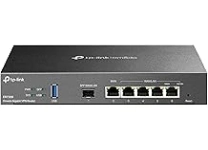
Explore Essential Computer Accessories
Computer accessories help you work, communicate, create, and play more comfortably with a desktop or laptop. Common options include keyboards, mice, webcams, headsets, speakers, monitor stands, docking stations, USB hubs, storage drives, and protective cases. Some accessories improve everyday convenience, while others support specialist needs such as gaming, video calls, graphic design, or travel. Start by considering how you use your computer and which tasks could benefit from better input, clearer audio, more screen space, or additional connectivity. A compact wireless mouse may suit a mobile setup, while a full-size keyboard can provide a familiar layout for extended typing. Ubuy offers a way to discover computer accessories from international product selections, making it easier to compare different styles and functions in one category.
- Accessories for work, gaming, study, and travel
- Options for connectivity, comfort, and productivity
- Choose products to match your setup
Keyboards, Mice, and Input Devices
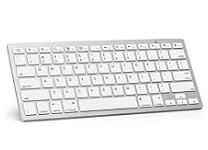
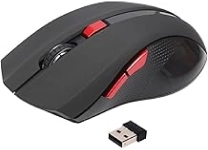
Keyboards and pointing devices have a direct effect on daily computer use. Choose between full-size, tenkeyless, compact, and ergonomic keyboards according to desk space, preferred layout, and typing habits. Mechanical keyboards use individual switches and are available with different actuation feels; membrane models are often quieter and have a softer key response. Wired USB models offer a straightforward connection, while Bluetooth and 2.4 GHz wireless versions reduce cable clutter. For mice, consider hand size, grip style, button placement, sensor sensitivity, and whether you need a travel-friendly shape or gaming-focused controls. Trackballs, drawing tablets, and presentation remotes can suit more specific workflows. Check operating-system support and connection requirements before buying, especially if a device relies on companion software. Ubuy can help shoppers explore a range of input-device designs and feature combinations.
- Compare layouts, switch types, and mouse shapes
- Check wired, Bluetooth, or wireless receiver options
- Consider ergonomics, sensitivity, and software support
Webcams, Headsets, and Computer Audio
Communication accessories can make meetings, online classes, streaming, and calls easier to follow. When choosing a webcam, compare resolution, frame rate, field of view, autofocus, low-light handling, and mounting options. A privacy shutter or lens cover can be useful when the camera is not in use. Headsets combine headphones and a microphone, with wired, Bluetooth, and USB-connected models available; some include noise-reducing microphones or active noise cancellation for listening. Standalone USB microphones and desktop speakers offer alternatives for users who prefer separate audio components. Look at microphone pickup patterns, connection type, controls, and whether a headset works with your computer and calling applications. Audio terminology such as stereo, surround sound, and frequency response can help with comparisons, but comfort and intended use matter too. For long sessions, check ear-cup fit, headband adjustment, and cable length.
- Compare webcam resolution and viewing angle
- Check microphone quality and connection type
- Prioritize comfort for extended calls
Connectivity, Docking, and Computer Storage
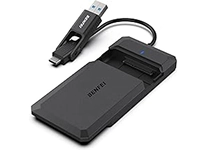
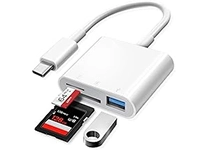
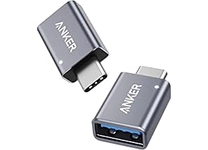
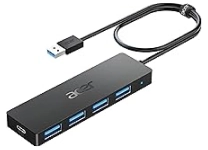
Hubs, adapters, docks, and external drives help expand a computer's ports and storage. A USB hub can connect peripherals through one computer port, while a docking station may add display outputs, Ethernet, audio, and multiple USB connections. Before choosing, check the computer's available port, supported data-transfer standard, power delivery needs, and the dock's display capabilities. USB-C describes a connector shape, not necessarily every feature a port supports, so confirm compatibility with the host device. Adapters can bridge different connection types, but supported resolution, refresh rate, and charging power may vary. For storage, portable solid-state drives offer compact access to files, while external hard disk drives can suit larger archives. Review capacity, interface, durability, and backup needs. Memory card readers, Ethernet adapters, and cable organizers are useful additions when they match your devices and workspace.
- Match hubs and docks to host ports and capabilities
- Compare drive type, capacity, and interface
- Check display, charging, and data-transfer support
Comfort, Protection, and Workspace Setup
A well-planned workspace can make computer use more organized and comfortable. Monitor stands and arms help position a display, while laptop risers can raise a screen when paired with a separate keyboard and mouse. Wrist rests, footrests, and ergonomic input devices may support a setup tailored to individual preferences; fit and posture still depend on the person and desk. Laptop sleeves, cases, and screen protectors help guard devices during storage or transport, so compare dimensions and model compatibility before ordering. Cable clips, desk mats, cleaning cloths, and compressed-air tools can support routine organization and care. Use products according to their care instructions, and avoid applying liquids directly to computer components. Ubuy is a platform for discovering international computer accessories, including workspace additions and protective gear; product specifications can help you assess fit, materials, and intended use.
- Check dimensions and device model compatibility
- Organize cables and position screens thoughtfully
- Follow product guidance for cleaning and care
Select the Right computer accessories
Build your accessory setup around compatibility, everyday tasks, and the space available. First identify your computer's operating system, port types, wireless capabilities, and any model-specific requirements. Then list the features that matter most: a quiet keyboard for shared rooms, a high-resolution webcam for video calls, a multiport dock for a workstation, or a durable sleeve for carrying a laptop. Compare construction materials, dimensions, controls, battery or power requirements, and included accessories. For wireless products, note whether they use Bluetooth, a USB receiver, or both, and check how they are charged or powered. Brands such as Logitech, Microsoft, Razer, and Anker make products across several accessory types, but compare each item on its own specifications rather than brand name alone. Confirm the product description matches your intended setup before purchase, and keep care instructions for ongoing maintenance.
- Verify device, operating-system, and port compatibility
- Prioritize features that fit your routine
- Compare specifications, materials, and power needs