Explore Monitor Types and Form Factors
Monitor choice begins with the way a screen will be used and the space available for it. Standard flat-screen displays suit everyday computing, study, and office tasks, while curved monitors can create a more enveloping view for games or wide desktop layouts. Ultrawide models offer extra horizontal workspace for timelines, spreadsheets, and side-by-side windows. Portable monitors are lightweight options for extending a laptop setup, and touchscreens support direct interaction where compatible software allows it. Gaming monitors prioritize responsive motion, while professional and creator displays may emphasize color control and detailed images. Screen size is measured diagonally, but the full width, stand footprint, and viewing distance also matter. Browse different monitor styles on Ubuy to compare form factors and find options that fit your desk and routine.
- Flat, curved, ultrawide, and portable designs
- Screen size and desk footprint both matter
- Match the form factor to your daily tasks
Compare Resolution, Refresh Rate, and Response
Resolution describes the number of pixels used to form an image; common choices include Full HD, QHD, and 4K UHD. Higher resolution can provide finer detail, but the benefit depends on screen size, viewing distance, connected device, and the graphics hardware driving the display. Refresh rate, measured in hertz, indicates how often the image updates. A higher rate can make motion appear smoother, especially in fast-paced games, provided the computer or console can output compatible frame rates. Response time describes how quickly pixels change, an important specification for reducing visible smearing during motion. Adaptive-sync technologies can help align a monitor's refresh behavior with a compatible graphics source. Compare these specifications together rather than treating any single number as a complete measure of picture quality or performance.
- Choose resolution for screen size and viewing distance
- Check refresh rate and source-device capability
- Consider response time and adaptive sync
Understand Panel Technology and Image Quality
The panel type influences viewing angles, contrast, color, and motion characteristics. IPS panels are often selected for consistent colors across wide viewing angles, while VA panels can offer deeper perceived contrast for movies and darker scenes. OLED monitors use self-emissive pixels for strong contrast and fast pixel transitions, though buyers should review care guidance and usage recommendations for the specific model. Color gamut indicates the range of colors a display can reproduce; creators may also look for color calibration features and support for common color spaces. Brightness and anti-glare coatings affect comfort in different lighting conditions, while HDR support depends on both the monitor's capabilities and suitable content. Check product specifications carefully, since performance varies by model and labels alone do not guarantee a particular viewing experience.
- Compare IPS, VA, and OLED characteristics
- Review color gamut, brightness, and HDR support
- Check calibration and surface finish details
Check Monitor Ports, Mounting, and Accessories
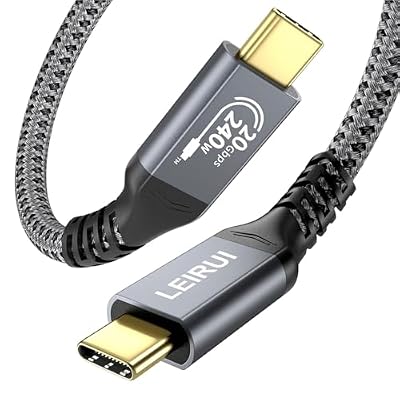
Connections determine how a monitor works with computers, consoles, and other devices. HDMI is widely used for video and audio, while DisplayPort is common in desktop setups; USB-C may carry video, data, and power when the monitor and connected device support those functions. Confirm the port version and capabilities instead of relying on connector shape alone. Some displays include USB hubs, speakers, headphone outputs, or built-in webcams, which can simplify a workspace. An adjustable stand can provide height, tilt, swivel, and pivot options; VESA mounting compatibility may allow use with a monitor arm or wall mount. Check the mounting pattern, weight limits, cable requirements, and desk setup before adding accessories. Ubuy can help shoppers discover monitors and related equipment from international product selections.
- Match ports and features to connected devices
- Check USB-C power and video capabilities
- Review stand adjustment and VESA compatibility
Choose a Monitor for Work, Gaming, or Creation
For office work and study, consider readable text, an appropriate screen size, ergonomic adjustment, and features such as flicker reduction or low-blue-light modes. Gaming buyers may prioritize refresh rate, response behavior, adaptive sync, resolution, and ports compatible with their PC or console. Photo, video, and design workflows can call for accurate color reproduction, calibration options, useful screen space, and suitable connectivity for peripherals. Home entertainment users may value contrast, HDR support, built-in audio, or a larger display, while a portable monitor can extend a laptop workspace away from a fixed desk. Brands such as Dell, LG, Samsung, ASUS, and BenQ offer models across different monitor categories; compare individual specifications rather than choosing by brand alone. Ubuy provides a place to explore international monitor options alongside the features that matter to your setup.
- Prioritize ergonomic comfort for desk work
- Match gaming specifications to your system
- Compare creator features and color capabilities
Select the Right monitors
Start by listing your main tasks, the devices you will connect, and the amount of desk space available. Then compare screen size, resolution, panel type, refresh rate, ports, and stand adjustments against those needs and your intended budget. Check that the display can work with your computer or console, including supported resolution, refresh rate, and any required cables or adapters. Consider whether you need speakers, a USB hub, a webcam, a monitor arm, or a second screen, and confirm accessory compatibility before purchasing. For routine care, follow the manufacturer's cleaning guidance, use a soft suitable cloth, and avoid applying liquid directly to the panel. Review product specifications and included items on Ubuy when comparing international choices, so your selected monitor aligns with your workspace, workflow, and preferred viewing experience.
- Prioritize needs, device compatibility, and available space
- Confirm included cables and accessory requirements
- Follow model-specific cleaning and care guidance